How I Ship iOS Releases
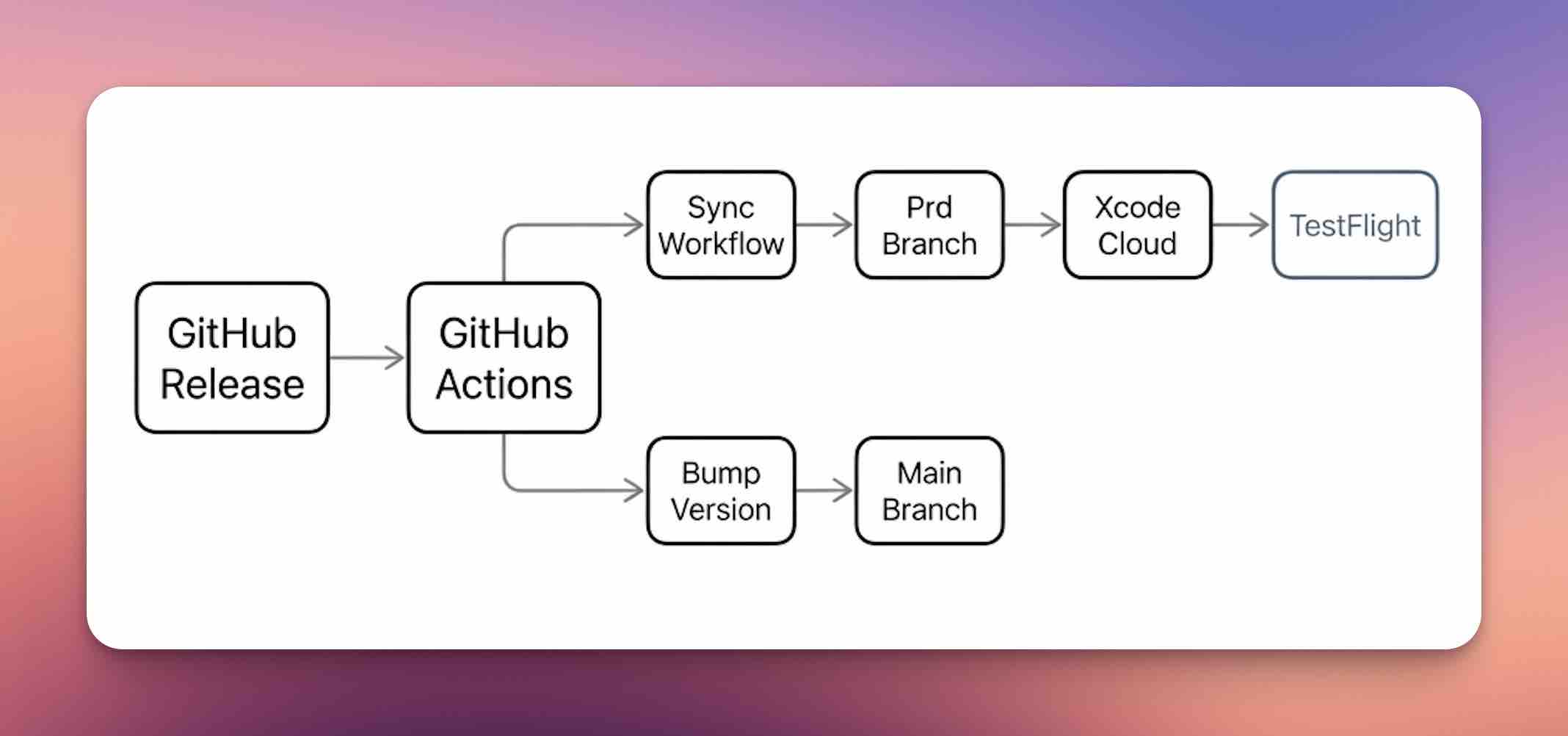
This is the release flow I use for Swift native projects like DoubleMemory. It decouples main from builds so rapid, small PR merges don’t trigger Xcode Cloud, while giving me maximum control over when to build, when to bump versions, and when to cut releases—without merge conflicts and with automatic artifacts and changelogs.
Goals and constraints
- Optimize Xcode Cloud build minutes and GitHub Actions trigger time.
- Keep production builds clean, deterministic, and fast-forward only.
- Let a GitHub Release promote and version the main line without manual merges.
- Control when TestFlight builds, version bumps, releases, and changelog generation happen.
- Allow the
mainbranch to remain the active merge target for frequent PR merges without triggering unnecessary builds or version bumps.
Branch + trigger model
productionis the only branch that triggers Xcode Cloud pipelines.- A GitHub Release (published) triggers
release_sync.yml. release_sync.ymlonly fast-forwards and promotesmainintoproduction, so there are no conflicts.- After promotion, the workflow bumps
MARKETING_VERSIONonmain.
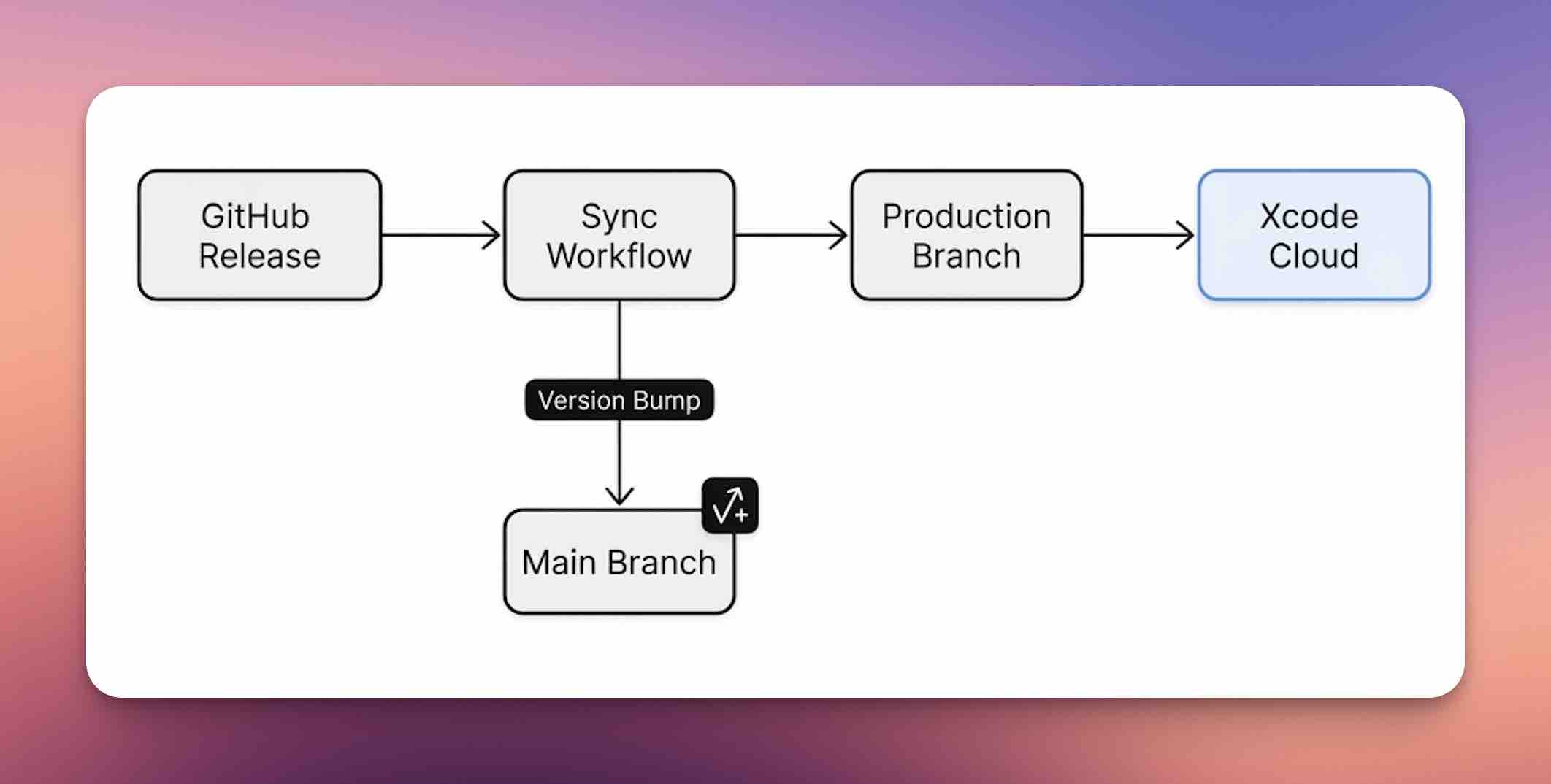
Annotated workflow (full quote with comments)
# .github/workflows/release_sync.yml
name: Release Sync and Version Bump

on:
  release:
    types: [published] # Triggered by publishing a GitHub Release.
  workflow_dispatch: # Manual trigger for maintenance.

permissions:
  contents: write

jobs:
  promote:
    name: Promote main to production and bump version
    runs-on: macos-latest
    steps:
      - name: Checkout
        uses: actions/checkout@v4
        with:
          fetch-depth: 0 # Full history needed for fast-forward checks.

      - name: Configure Git user
        run: |
          git config user.name "github-actions[bot]"
          git config user.email "github-actions[bot]@users.noreply.github.com"

      - name: Fast-forward production from main
        env:
          MAIN_BRANCH: main
          PRODUCTION_BRANCH: production
        run: |
          set -eo pipefail
          git fetch --prune origin
          if git ls-remote --exit-code origin "$PRODUCTION_BRANCH" >/dev/null 2>&1; then
            git checkout -B "$PRODUCTION_BRANCH" "origin/$PRODUCTION_BRANCH"
          else
            git checkout -B "$PRODUCTION_BRANCH" "origin/$MAIN_BRANCH"
          fi
          git merge --ff-only "origin/$MAIN_BRANCH"
          git push origin "$PRODUCTION_BRANCH:$PRODUCTION_BRANCH"

      - name: Bump MARKETING_VERSION on main
        env:
          MAIN_BRANCH: main
        run: |
          set -eo pipefail
          git checkout -B "$MAIN_BRANCH" "origin/$MAIN_BRANCH"
          swift Scripts/bump_version.swift
          if git status --porcelain | grep .; then
            new_version=$(grep -m1 "MARKETING_VERSION =" DoubleMemory.xcodeproj/project.pbxproj | sed -E 's/.*MARKETING_VERSION = ([0-9.]+);/\1/' | tr -d '[:space:]')
            git commit -am "Bump version to $new_version"
            git push origin "$MAIN_BRANCH:$MAIN_BRANCH"
          else
            echo "No version changes detected; skipping commit."
          fi
The GitHub Release path (preferred)
- Create a GitHub Release (auto-tag on release creation).
- The release triggers
release_sync.yml:- Fast-forward
productionfrommain. - Bump the version on
mainand push.
- Fast-forward
- Xcode Cloud builds from
production. - Artifacts are generated and a clean changelog is attached to the release automatically by GitHub.
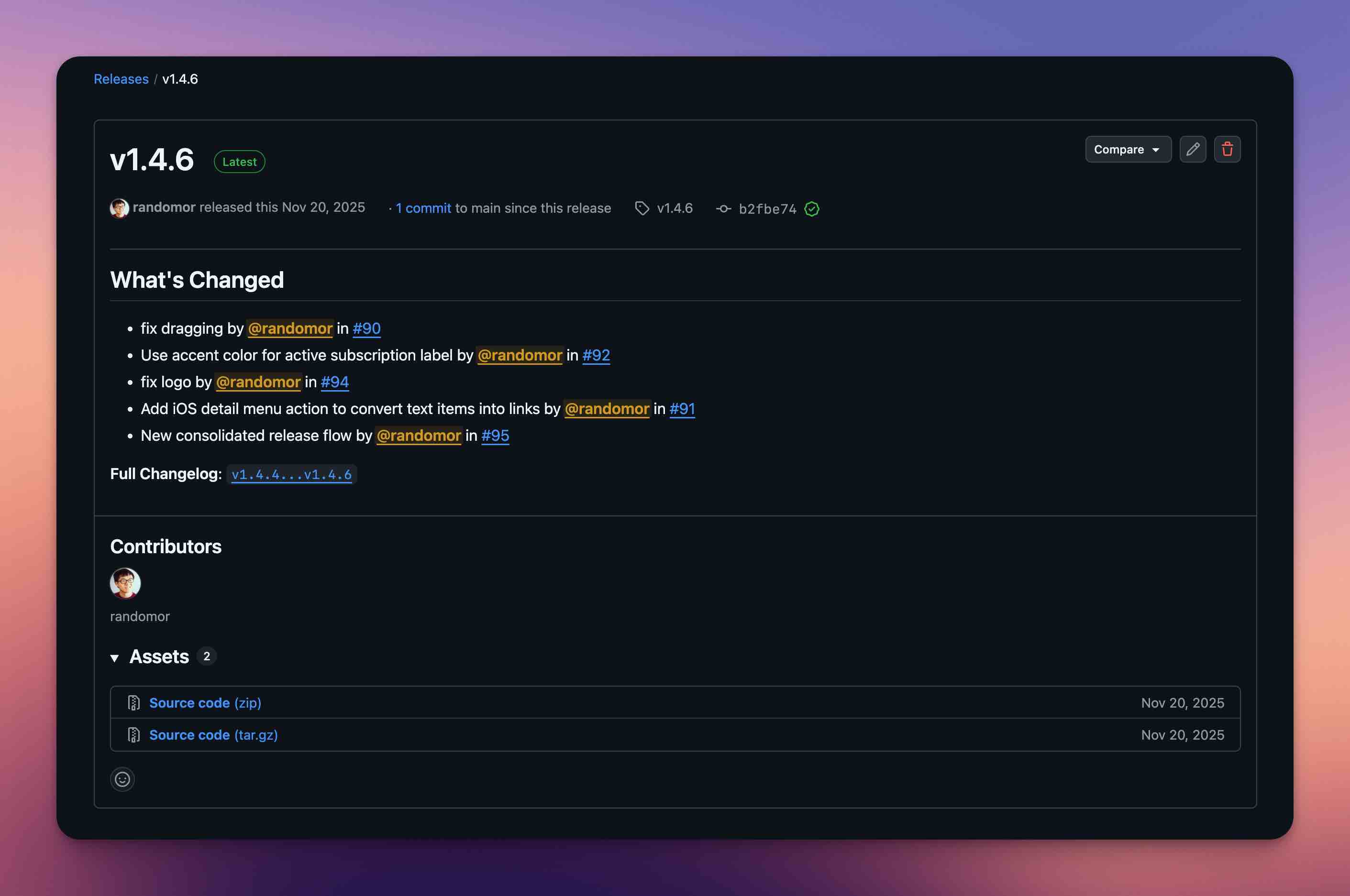
This keeps versioning centralized and avoids long-running GitHub Actions builds for every release. If you prefer to avoid clicking in GitHub, this step can be scripted (for example, via a CLI release command) and still uses the same workflow.
The direct production push path (manual build)
Sometimes you need to ship a build to TestFlight without cutting a full GitHub Release (e.g., for internal QA). We use a local script to mimic the action: it pushes the current state to production directly.
Scripts/build_app_store.sh:
#!/usr/bin/env bash

set -euo pipefail

# ... (setup variables)

echo "Fast-forwarding ${PRODUCTION_BRANCH} from ${MAIN_BRANCH}..."
git merge --ff-only "origin/$MAIN_BRANCH"

echo "Pushing ${PRODUCTION_BRANCH} to origin..."
git push origin "$PRODUCTION_BRANCH:$PRODUCTION_BRANCH"

# ...
This triggers Xcode Cloud immediately because of the push to production.
Why this works well for me
- Production stays fast-forward only, so it always builds.
- Main stays versioned and clean yet still allows active development and merging of PRs without triggering a build which costs build time.
- Xcode Cloud runs only when it matters.
- GitHub Actions work is minimal and deterministic.
Skill definition (Codex format)
If you want this flow packaged as a Codex skill, the definition lives in a SKILL.md with YAML front matter (this is the actual format used by Codex). For the canonical spec and installer usage, see ~/.codex/skills/.system/skill-installer/SKILL.md.
---
name: ios-release-pipeline
description: Sets up a GitHub Release → fast-forward production → version bump flow for Xcode Cloud.
metadata:
  short-description: Release sync + version bump for iOS
---

# iOS Release Pipeline Setup

Create a `.github/workflows/release_sync.yml` workflow that:
- Triggers on `release` (published) and `workflow_dispatch`.
- Fast-forwards `production` from `main` and pushes.
- Bumps `MARKETING_VERSION` on `main` and pushes.
- Then generate `Scripts/build_app_store.sh` to fast-forward `production` from `main` and push for manual builds.
Post-installation steps
On GitHub:
- Enable Actions read/write permissions.
- Publish a Release to trigger the sync.
On Xcode Cloud:
- Start Condition = Branch Changes.
- Branch =
production. - Optional: add TestFlight Internal Testing.
Please check Thomas Ricouard’s flow for TestFlight via Codex Web for detailed instructions.
Script reference
The full script lives at Scripts/build_app_store.sh. It fast-forwards production from main and pushes to origin, and it should be generated by the skill rather than hidden. For version bumping, your LLM should be able to generate a small script that matches your project layout; if you use Tuist, this becomes much simpler than my original setup because I started DoubleMemory before adopting Tuist.
Final Words
If this post was helpful, I can share the full Swift native project setup in a separate write-up, including topics like how to setup a Swift project by using Tuist, and how to save debug tokens with xcbeautify. You can follow me on X if you want that next: @randomor.
References
- Thomas Ricouard’s flow for TestFlight via Codex Web: https://x.com/Dimillian/status/2007107988038054240?s=20
- Paul Solt’s manual archive demo for TestFlight: https://x.com/PaulSolt/status/2007180161569959998?s=20
This post is inspired by the ongoing discussion about Codex-to-TestFlight flows in those two recent X posts, and special thanks to Paul for the encouragement to write this post as well as adding the skills definition so everyone can easily integrate this flow into their projects.