This LMS Doesn't Exist, But Should It?
I've wanted to build my own LMS for more than a decade.
In 2015 I wrote down what it would look like: Design of InstructSpace. I followed and admired Canvas when it was first open sourced, taught online with it as a Free for Teacher user (my university was still on Moodle), then spent over ten years in edtech.
I'm outside academia now, and honestly a bit out of touch. But for the first time it feels like we can actually build it. With AI, exploring a direction costs tokens, not years: you can try whichever direction you like, as long as you have tokens to spend.
This is one of those directions.
Contents
- What I wanted in 2015, and still do
- One direction: ZenLMS
- What we have so far
- Before I spend all my tokens
What I wanted in 2015, and still do
Rereading the InstructSpace doc, most of it still holds:
- Reading comes first. I was "unsatisfied with all current LMS typography and readability," and wanted simplicity to be the key: "how could we do more with less?"
- Notifications should mean something. Activity is what happened in a course. A notification is something that needs you. They shouldn't be the same list.
- Discussions should stay on topic. Endlessly nested threads drift away from the main question, so: two levels, no more.
- Grading should live with the work, instead of being a chore of counting who posted what.
One direction: ZenLMS
This one started as a question on X:
LMS inspired by Tufte... should i do it?
— shao (@randomor) September 27, 2026
ZenLMS is minimalist and text-first: dense, well-set text, plain lists, as little chrome as possible. Every screen below comes from one made-up course, Reading the City, in Week 5 of 14.
The week, first
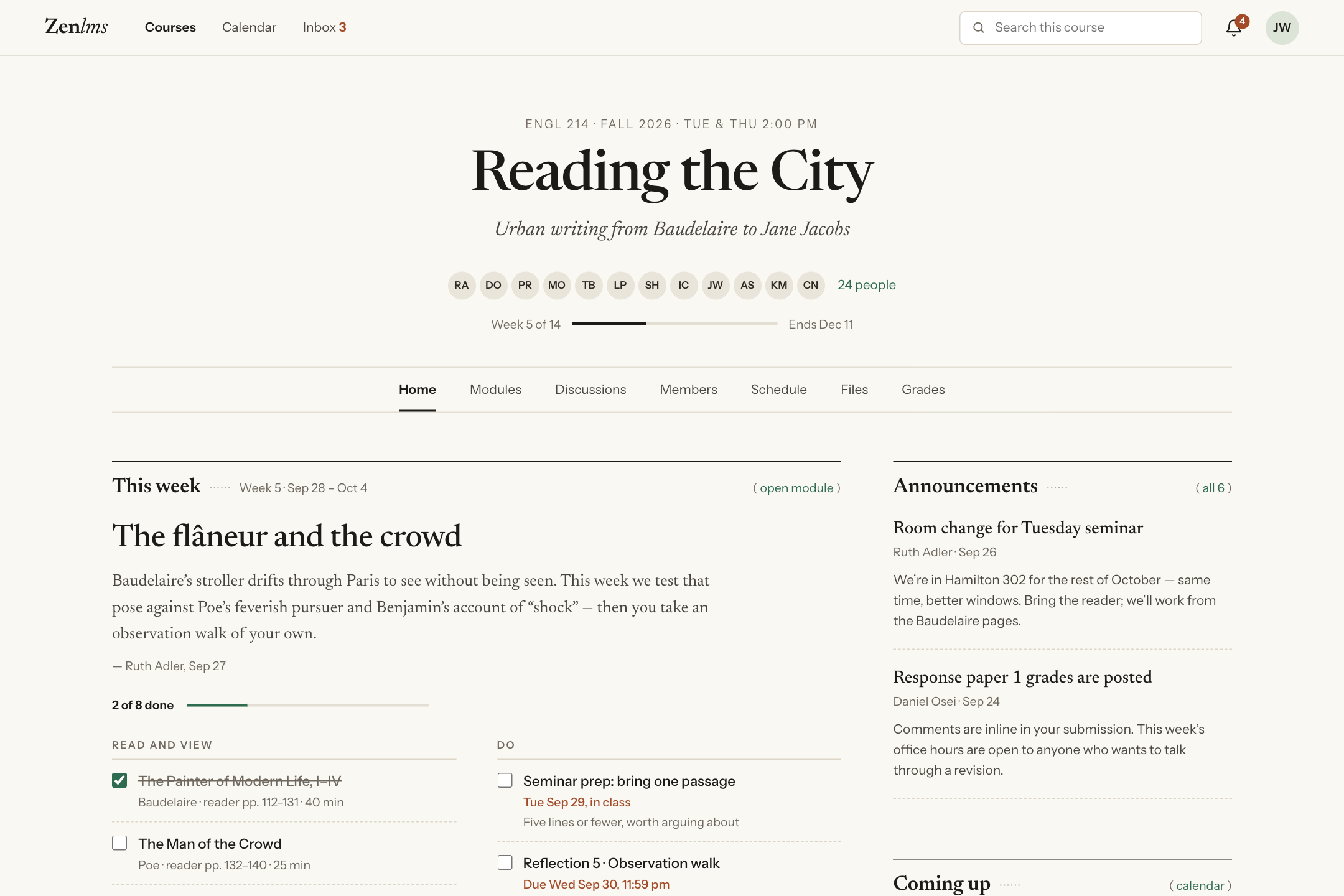
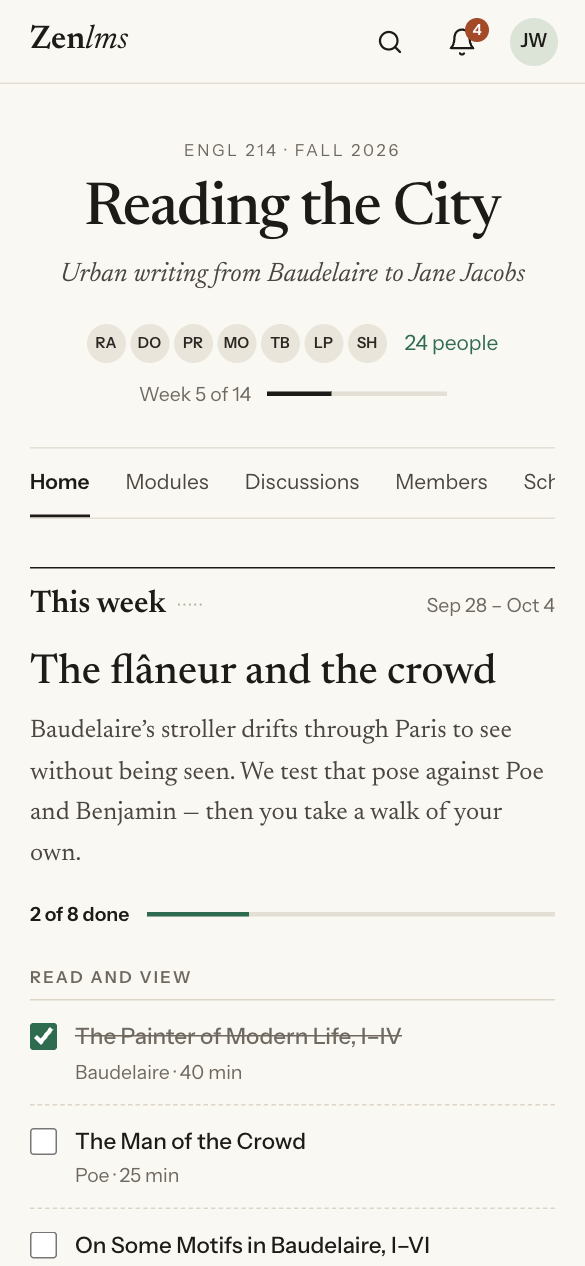
The course home opens on this week: the teacher's note, the readings and tasks you tick off as you go, and what's due. Announcements, discussions, people and files sit further down the same page.
Notifications only for what needs you
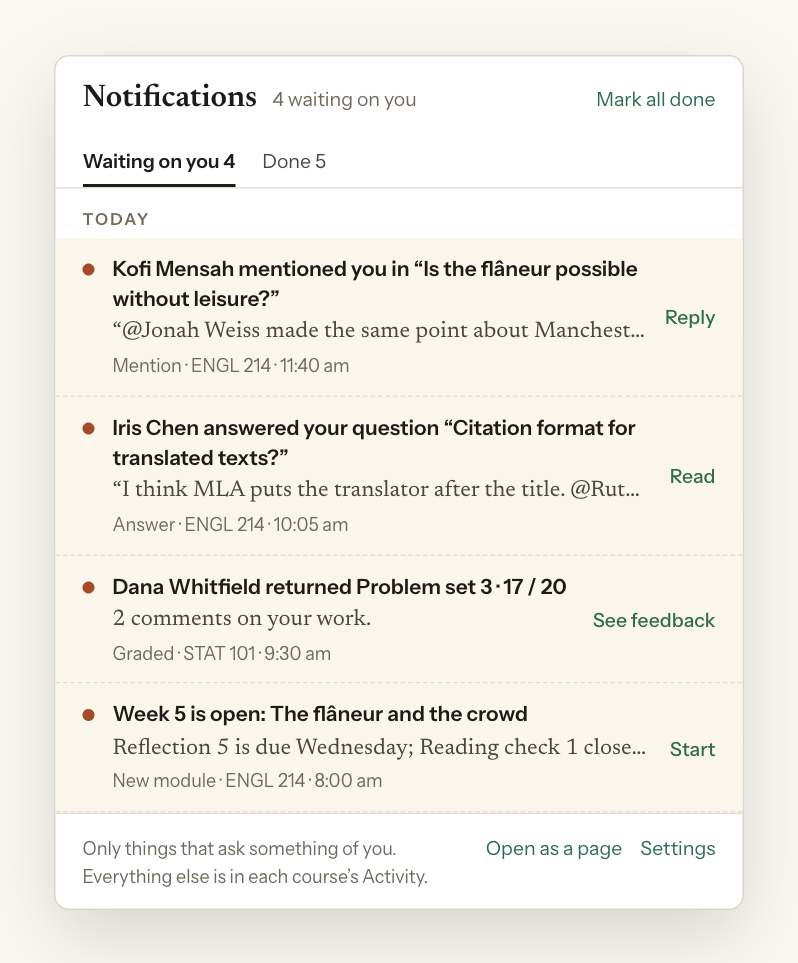
The 2015 split, finally drawn: the bell holds only things that ask something of you. Everything else lives in each course's Activity.
Discussions you can read
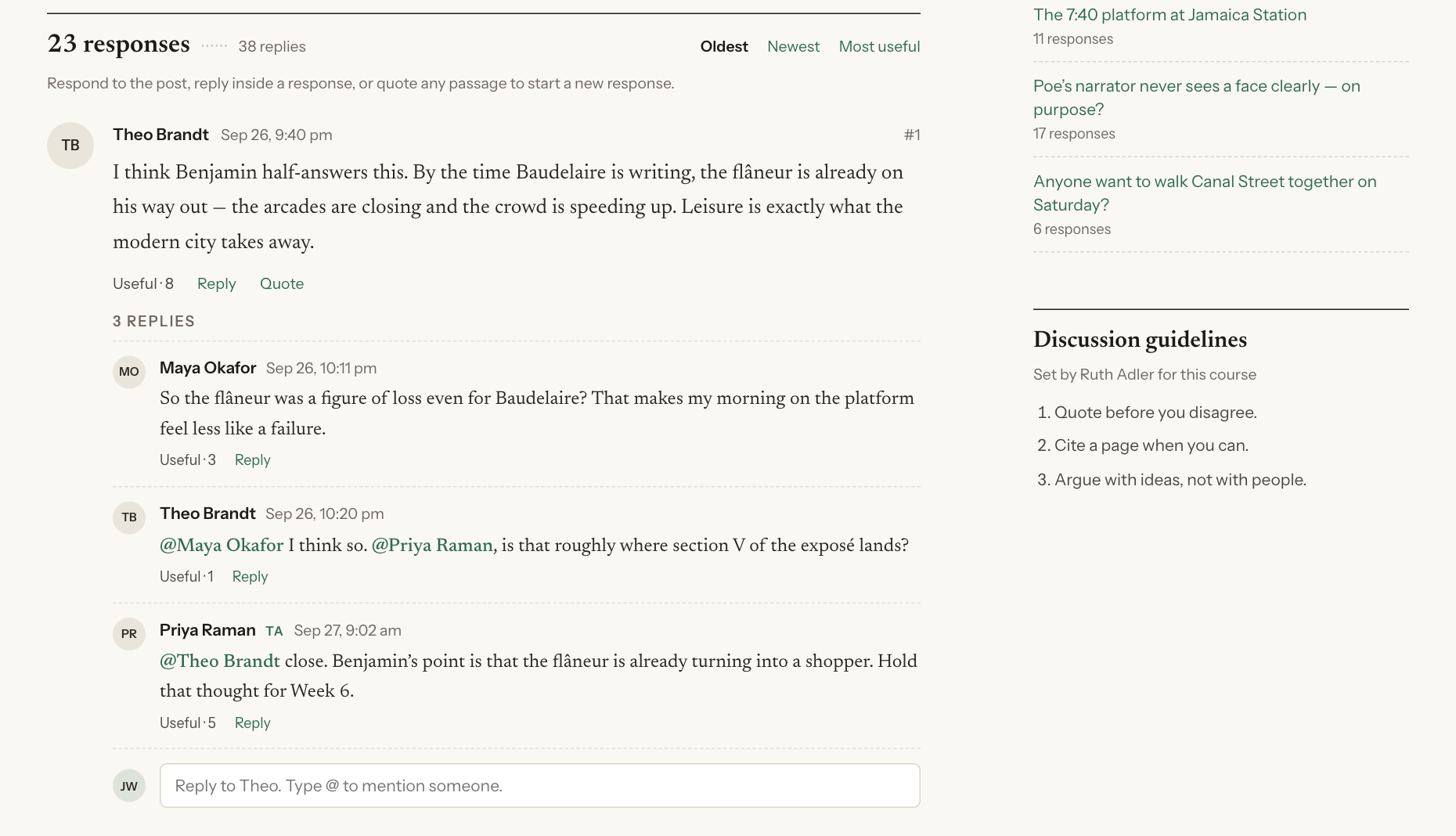
Two levels, like the 2015 doc said: responses, and replies under them. You can quote any passage, @mention people, and write in Markdown.
Feedback on the work itself
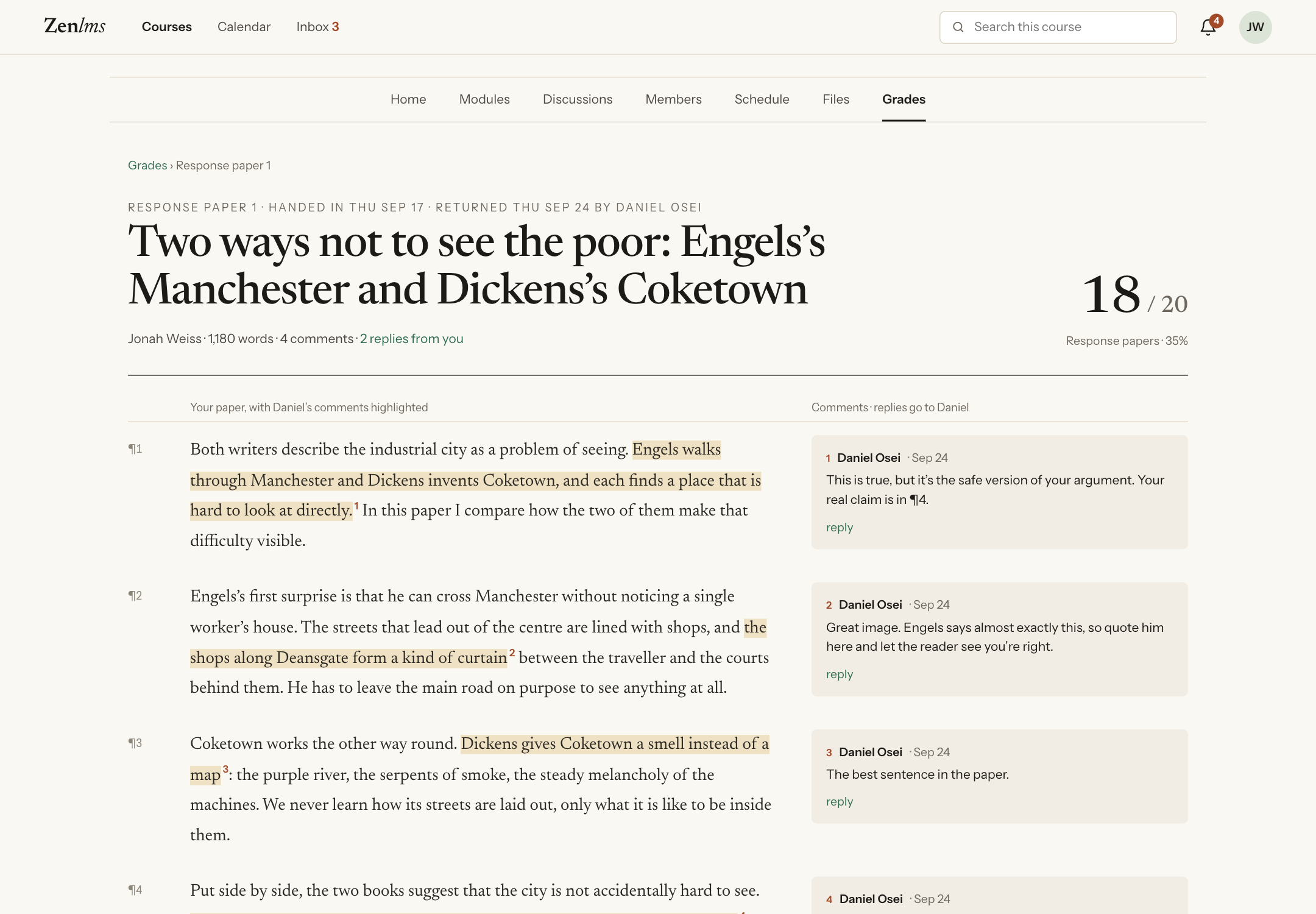
Comments sit in the margin beside your paper, with the rubric below it. You can reply to each comment, or ask for a regrade.
For teachers: the same page, plus what needs you
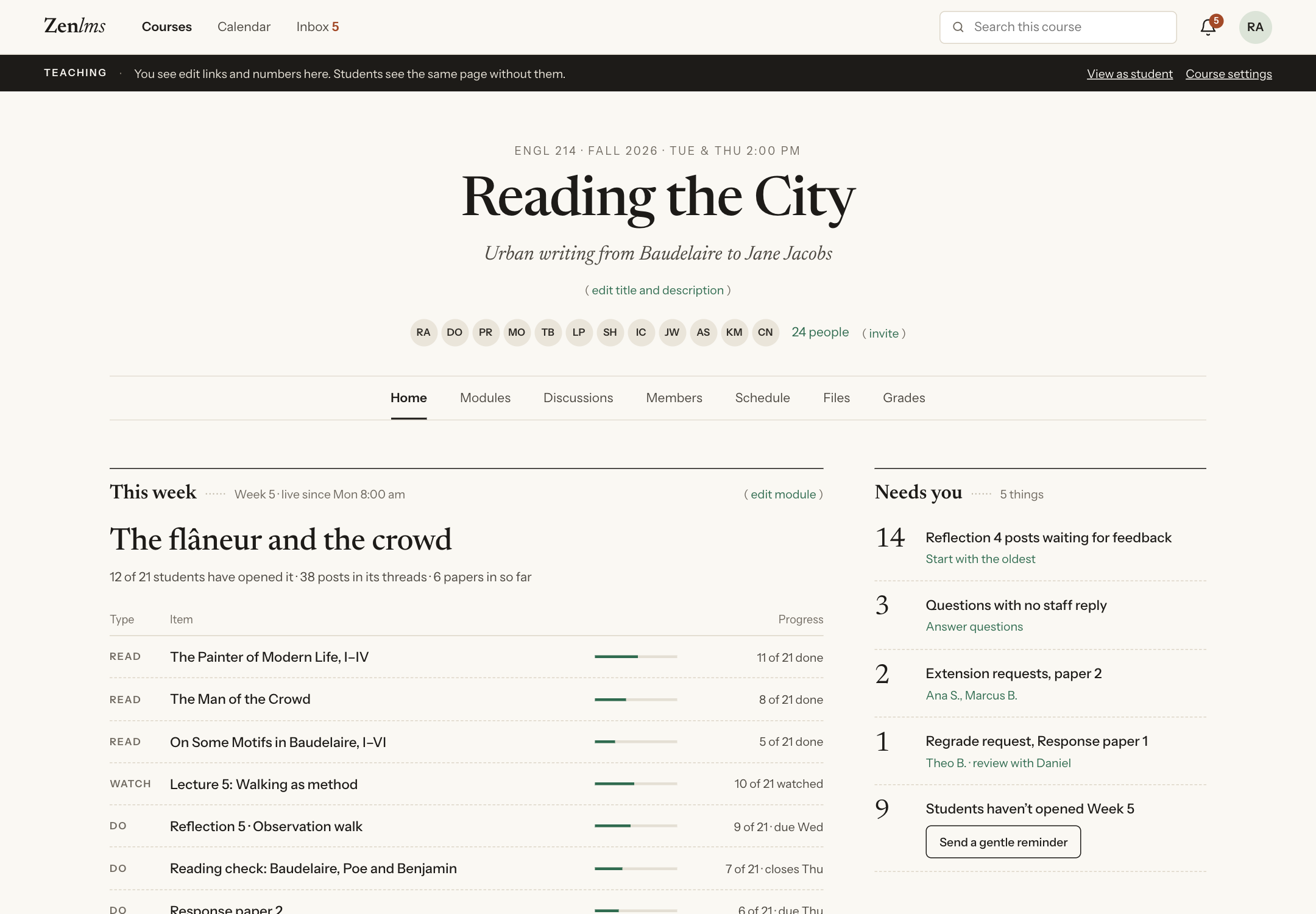
Teachers see the same course home, with edit links, progress on each item, and a Needs you list: posts waiting for feedback, questions with no staff reply, extension and regrade requests, and students who haven't opened the week yet.
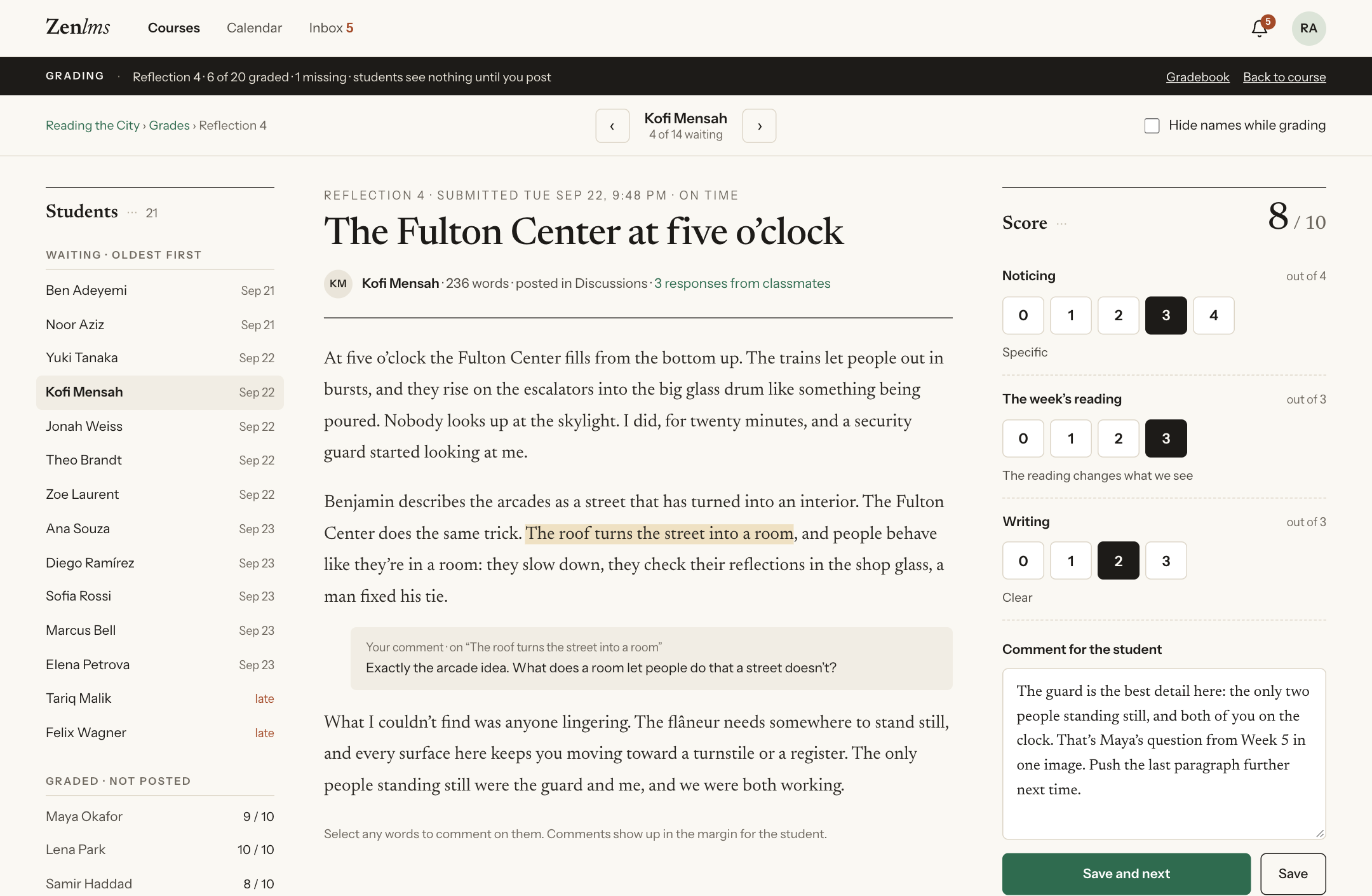
Grading happens next to the work: pick the rubric scores, leave a comment, move on to the next student.
On a phone, too
What we have so far
A month after that first question:
- 36 screens for students and teachers, from signing in to the gradebook, including quizzes, the calendar, building a module, importing from Canvas, groups and the inbox.
- A clickable demo with every screen linked together: zenlms.idealistspace.com. Ticks, filters, drafts and quiz answers work, and stay in your browser. Nothing is sent anywhere.
- A 2-minute video, every shot of it the live demo:
I've wanted to build my own LMS for more than a decade. … This is a first take: minimalist and text-first. Nothing real is built yet. It's a clickable design with made-up data. … Watch the 2-minute video and let me know.
— shao (@randomor) October 20, 2026
Nothing real is built yet.
Before I spend all my tokens
This is one direction. I have a handful of other variations, ranging from promising to insane, that I want to explore too. And even with this one, I'm not sure it's something I want to dive into yet.
So I'm putting it out here before I indulge myself too much: should this exist? What would make you use it, or keep you away?
Tell me on X.